hyprvr adds real Hyprland monitors and streams them to a Quest 3. You get up to six
screens with pixel-sharp text, hardware video when things move, and the keyboard you
already type on. It runs fine on a 2018 ThinkPad.
is the vr thing working?I'm in it right nowno way6 monitors, on the train
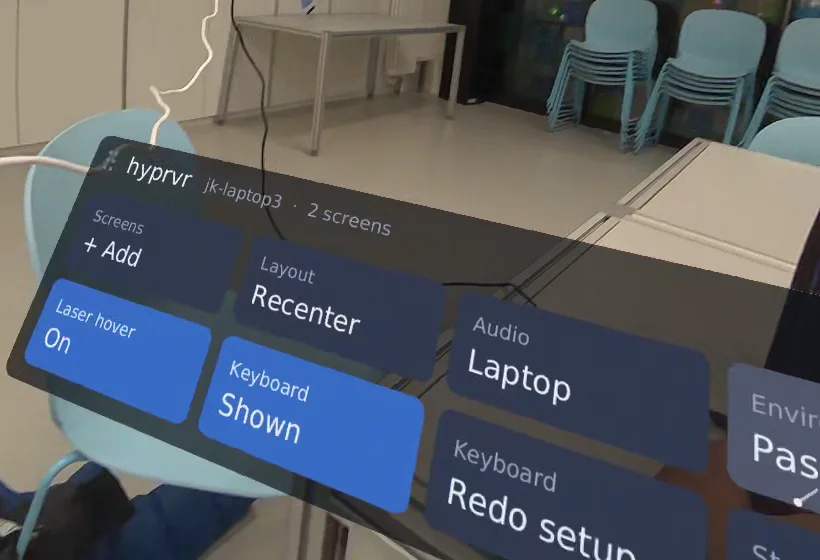
dashboard
Screens+ Add
LayoutRecenter
AudioHeadset
EnvironmentPassthrough
Dim
Move your mouse to look around
6virtual screens
4Kper screen
Losslesstext & UI
H.264 / HEVCVAAPI hardware video
90 Hzhead motion
QUICTLS 1.3 + PIN pairing
Real footage
Recorded in the headset.
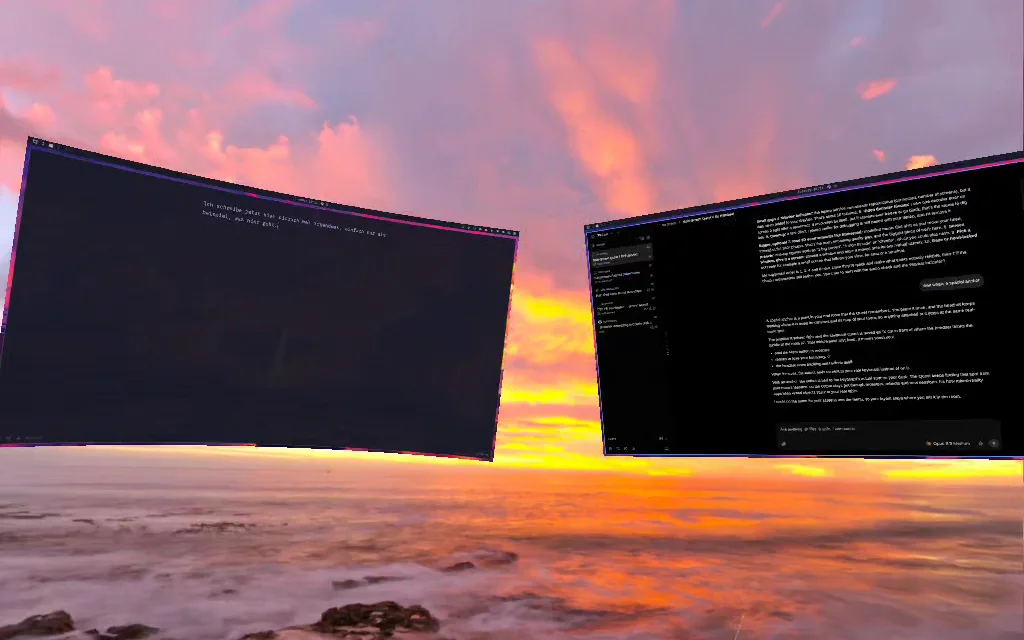
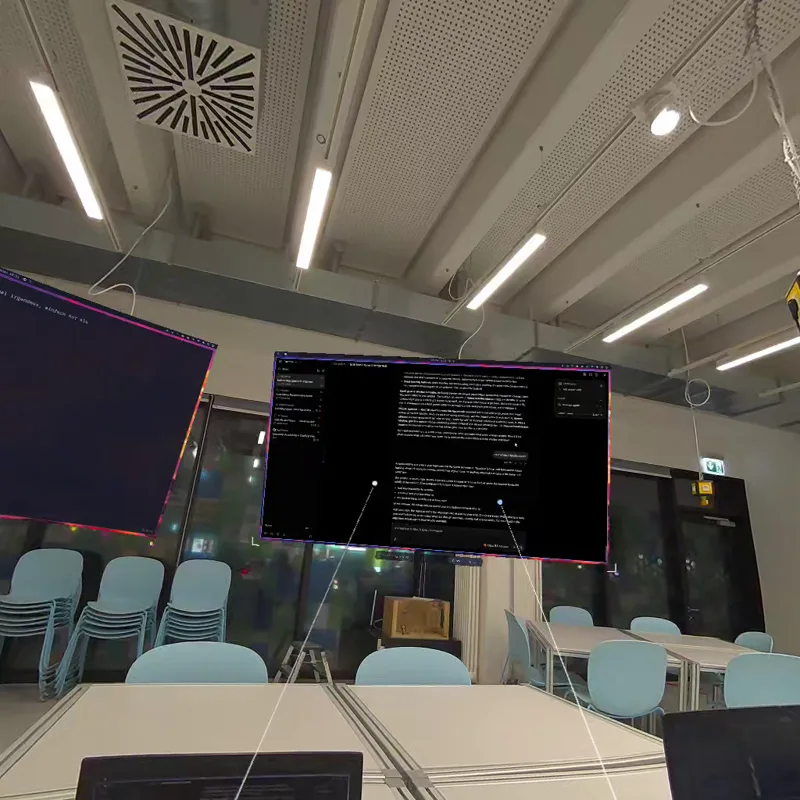
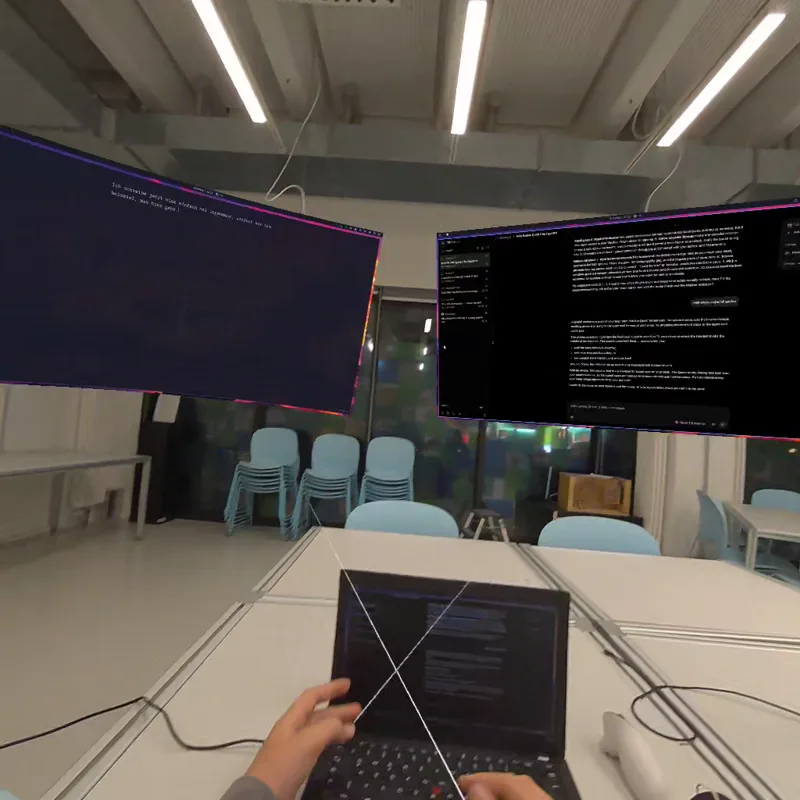
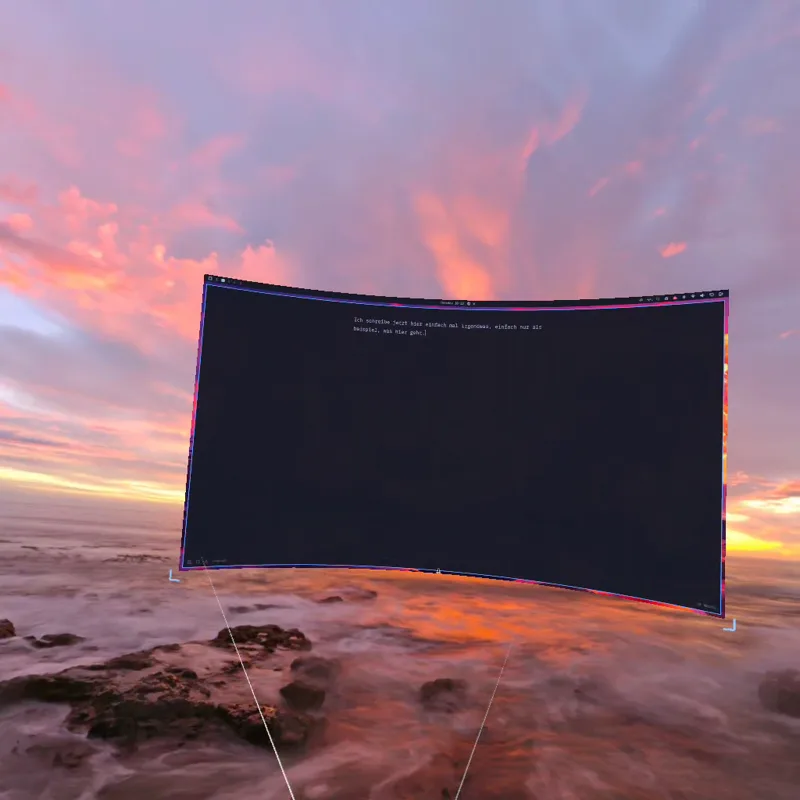
These are unedited captures from a Quest 3 running hyprvr, streamed over regular Wi-Fi from a ThinkPad.
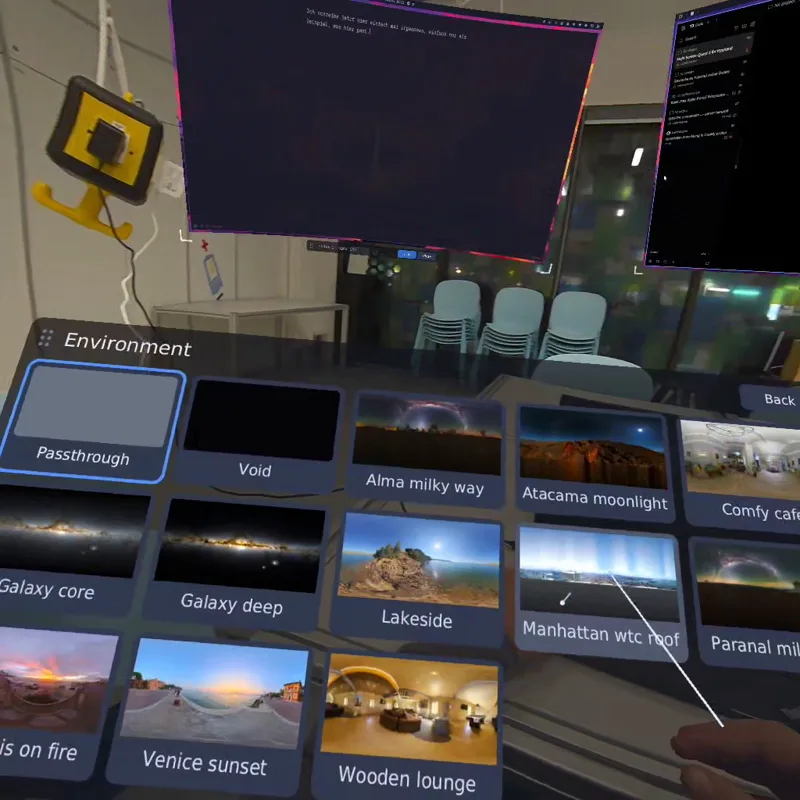
Two screens in a 360° environmentSwitch from passthrough to an environmentPassthrough with controller lasersType on your real keyboardAny panel can be curvedThe in-VR menuEnvironment picker with previews
What it does
Real monitors in VR, not a mirrored desktop.
Each panel in the headset is an actual Hyprland output, so your workspaces, keybinds, window rules and movefocus all work the way they normally do.
▦
Up to six real Hyprland outputs
vrd creates headless monitors on demand, anywhere from 320×240 to 3840×2160. Add, resize and close them from the headset or with vrd screen add 2560x1440. Your physical eDP display can be mirrored into VR as well.
Aa
Text stays sharp
Static content is sent as lossless, zstd-compressed 64×64 tiles, and only the tiles that actually changed. Small code stays crisp, with no compression artifacts.
▶
Video when things move
Scrolling, video and games become a hardware-encoded H.264 region. About 150 ms after the motion stops, the region is sharpened back to lossless.
⌨
Your keyboard, zero added latency
The laptop keyboard and touchpad drive Hyprland directly. A passthrough cutout lets you see your real keyboard while you're surrounded by screens.
⟲
Arrange in space, Hyprland follows
When you drag a panel in 3D, the monitor layout is rewritten so mouse edges and focus direction match what you see.
◉
Laser, hands, or both
Point with the controllers or pinch with your bare hands. Panels curve or flatten individually, and the cursor hides itself whenever you go back to the touchpad.
◐
Passthrough & environments
Use dimmed passthrough or a dark void, or press Download in the picker to get 10 free 360° photos from Poly Haven, Wikimedia Commons and ESO. Your PC fetches them from the original sources, and every photographer is credited. You can also drop your own equirectangular .jpg or .png files (up to 8K) into ~/.config/hyprvr/environments/. Every image gets a preview and can be rotated in 90° steps.
♪
Audio follows you
Send desktop audio to the headset or keep it on the laptop. You can switch from the in-VR menu, from your bar, or with vrd audio toggle.
🔒
Paired, pinned, encrypted
QUIC with TLS 1.3 and pinned certificate fingerprints. The first connection is paired with a SPAKE2 PIN, and unpaired clients receive nothing else.
▭
Lives in your bar
vrd waybar streams JSON status for Waybar or Quickshell. Click the module to show the pairing PIN, right-click it to switch audio.
⏻
Leaves nothing behind
When you close the app, the virtual outputs go away. If Wi-Fi drops, they wait 15 s for you to reconnect, after which Hyprland moves your windows back to the laptop screen.
How it works · 1
Hybrid encoding: lossless until it moves.
Every screen is split into 64×64 tiles. This is a simulation of the encoder's decisions. Pick something to do on the screen.
lossless tileH.264 video regionsharpen pass
How it works · 2
Layout sync: space becomes monitor positions.
Drag the panels around you (seen from above). vrd sorts them by azimuth into a row and keeps the laptop screen centered underneath, where it actually is.
How it works · 3
Two Rust programs and one QUIC connection.
Hyprland
headless outputs
IPC socket
wlr-virtual-pointer
screencopy ⇄ input
vrd daemon · systemd user service
wlr-screencopy with damage
tile differ + VAAPI H.264 / HEVC
layout sync & cursor
audio capture
discovery + SPAKE2 pairing
QUIC · UDP 47800 Wi-Fi
Quest app Rust · OpenXR · GLES
RGBA canvas per screen
MediaCodec decode
quad / cylinder layers
passthrough, environments
laser, hand pinch, toolbar
Idle screens send nothing at all. Panels are compositor layers, so head motion runs at the headset's native rate no matter how fast frames arrive.
Setup
One command to your first screen.
Tested on Arch / Omarchy with Hyprland on an Intel laptop. Any Linux distro works if you install the dependencies yourself.
1
Plug in the Quest and run one command
Turn on developer mode on the headset, connect it with USB and accept the debugging prompt. Then run setup.sh as your normal user. It installs the packages, Rust and the vrd daemon, opens UDP 47800–47801 for your LAN, and starts vrd as a systemd user service. If the headset is plugged in, it also builds the Quest app, installs it, and gives it your laptop's IP.
git clone https://github.com/jkramer5103/hyprvr.git
cd hyprvr
./setup.sh
Building the headset app needs the Android SDK + NDK (ANDROID_HOME, default /opt/android/sdk) and a JDK. setup.sh installs cargo-ndk and the Rust target itself.
2
Headset wasn't plugged in? Add it later
You can also set up each side on its own.
./setup.sh quest          # only the headset app
./setup.sh laptop         # only the daemon
./setup.sh --tailscale    # also allow connections over Tailscale
More options: --no-firewall--no-deps (not on Arch? install ffmpeg, libva, clang, pkg-config, libpulse and libnotify yourself, then use --no-deps).
3
Pair once with a PIN
Put on the headset and open hyprvr from Library → Unknown Sources. It finds your laptop on the network. Enter the PIN that shows up as a desktop notification, and your first screen appears in front of you.
vrd pin      # show the pairing PIN again
vrd status   # connection, screens, bitrate
PC
Hyprland (Lua or classic config)
VAAPI-capable GPU, with x264 as a fallback
PipeWire-pulse or PulseAudio
Android SDK + NDK and a JDK, to build the headset app
Headset
Meta Quest 3 in developer mode
Same Wi-Fi / LAN as the PC (5 GHz or Wi-Fi 6 recommended)
or Tailscale, with --tailscale
Reference machine
ThinkPad X280, i5-8350U
UHD 620, H.264 / HEVC 8-bit encode
on regular Wi-Fi
Control
Scriptable from the terminal.
~ vrd
vrd status [--json] [-f]
Daemon state, optionally followed
vrd pin
Show (or create) the pairing PIN
vrd screen add 2560x1440
Add a virtual screen
vrd screen resize 2 1920x1200
Resize a screen
vrd screen remove 2
Remove a screen
vrd mirror eDP-1
Mirror a physical output into VR
vrd audio toggle
Laptop ⇄ headset audio
vrd layout reset
Panels back to the default arc
vrd unpair [all|name]
Forget a headset
vrd waybar
JSON lines for your bar
vrd env fetch
Download 10 free, credited 360° environments
~/.config/hyprvr/config.toml
# every key is optional; values shown are the defaultsdefault_screens = 1default_width = 1920default_height = 1080refresh_hz = 60codec = "h264"# or "hevc"encoder = "auto"# vaapi | x264video_kbps_1080p = 25000video_kbps_max = 50000tile_kbps_budget = 60000grace_secs = 15environments_dir = "/home/you/Pictures/360"# default: ~/.config/hyprvr/environments
Hyprland is the target. There is a sway backend, but it is only used for headless end-to-end testing. The compositor layer is a small trait, so adding other wlroots compositors is possible.
Does it need a powerful GPU?
No. The reference machine is an 8th-gen Intel laptop with integrated graphics. Most of the time the work is lossless tile diffs, and the hardware encoder only handles the regions that are actually moving.
Is it secure on a shared network?
All traffic is QUIC with TLS 1.3. Both sides pin each other's certificate fingerprint after a one-time SPAKE2 PIN exchange, so a client that hasn't paired can't see any screen content. The installer only opens the ports to private address ranges.
What happens if the Wi-Fi drops?
The virtual monitors stay up for a grace period (15 s by default) while the headset reconnects. After that they are removed, and Hyprland moves your windows to the laptop screen.
Can I use it over the internet?
Yes, with Tailscale. Run the installer with --tailscale to also allow the CGNAT range, then point the headset at the PC's Tailscale IP.
Free, with the source. On GitHub.
hyprvr is written in Rust from end to end: around 14k lines across the daemon, the wire protocol and the Quest app. It is licensed under MIT with the Commons Clause, so you can use it anywhere (including at work) and change and share it freely. The one thing you can't do without permission is sell it. Issues and pull requests are welcome.